
Edit PDF
Change text, images and shapes directly on the page.
Pro and above
About this feature
What it does
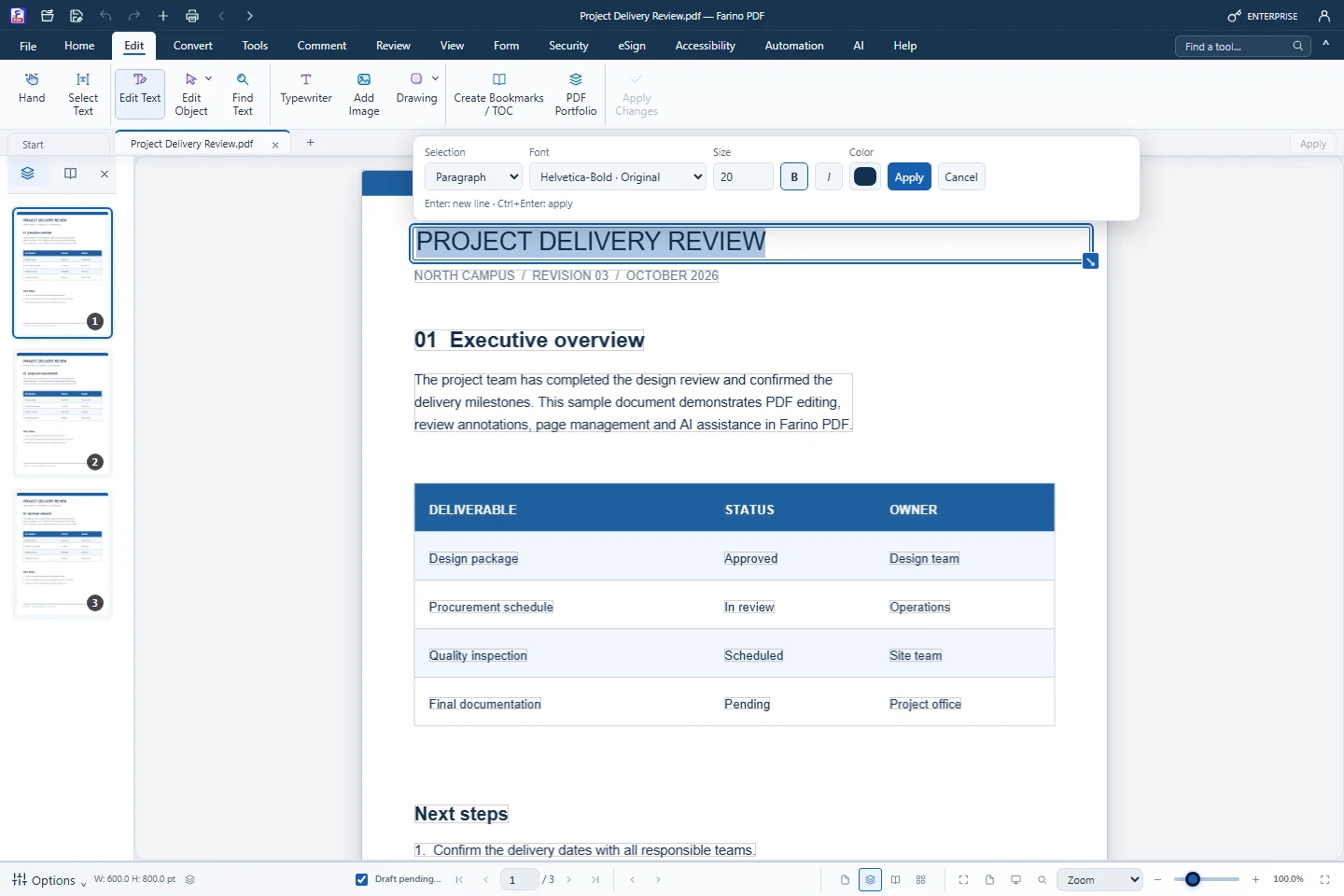
Edit Text detects text blocks on the visible page so you can rewrite a word, a line or a whole paragraph in place, with the original font when it can be reused. Edit Object moves, resizes and deletes the images and shapes already in the PDF.
- Edit by text block, paragraph or line with font, size, bold, italic and colour
- Move, resize, nudge or delete images and vector shapes, even onto another page
- Typewriter for new text, plus Add Image and Drawing (arrow, rectangle, pencil)
- Find and replace text with Ctrl+F and Ctrl+H
- Changes stay pending until Apply Changes, and Undo reverses them
How to use it
Short steps in the Farino PDF app. The full guide is in the documentation.
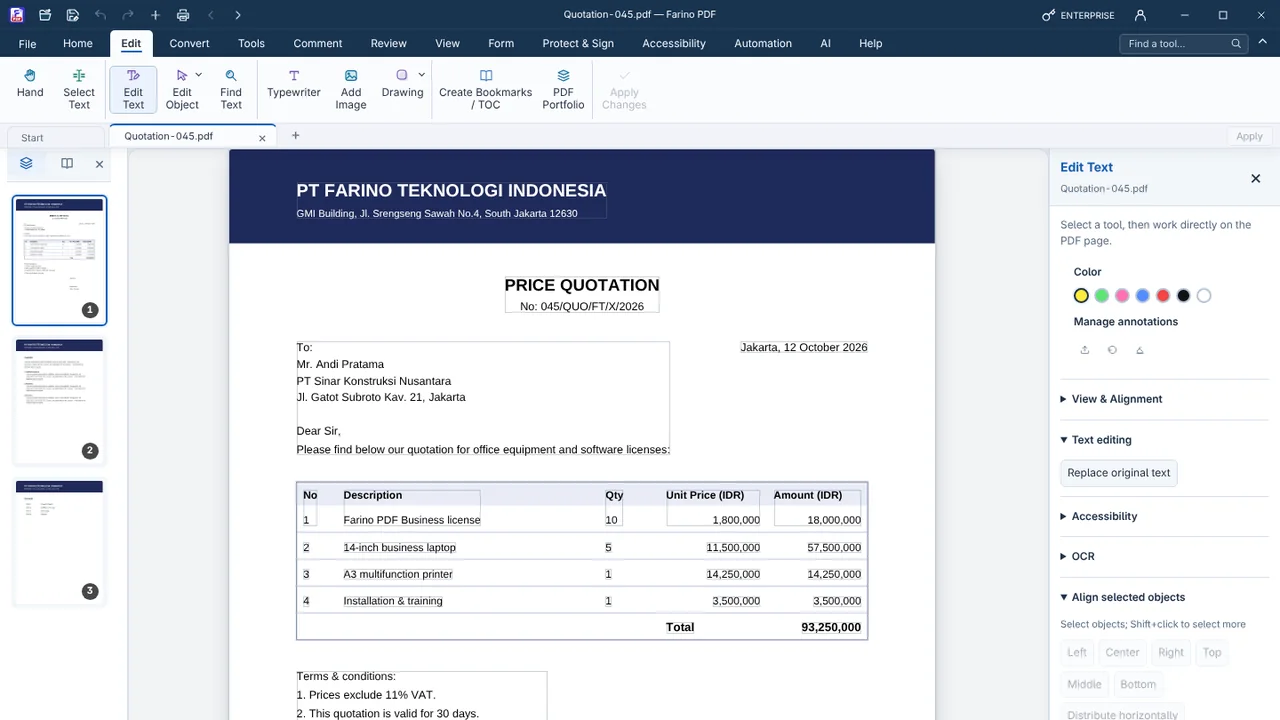
Read the full guideChoose Edit › Edit Text
Detected text blocks are outlined on the page. Click the block you want to change.
Type and format
Use the floating toolbar for selection mode, font, size and colour. Press Ctrl+Enter to apply.
Save the PDF
Use Save (Ctrl+S). Edit Object changes are written right away and can be undone.
Related features
PDF AnnotatorHighlight, comment, stamp and draw on any PDF.PDF ReaderRead comfortably with thumbnails, zoom, read mode and night mode.Watermark PDFAdd a text or image watermark to every page.Number PagesPage numbers, headers and footers, Bates and document numbers.Document TemplatesReady-to-fill Indonesian templates and company letterheads.
Start with the free edition today.
Upgrade from inside your account when your work needs more.
- Free edition, no account
- Signed installer
- Local support