
About this feature
What it does
To PowerPoint turns each PDF page into a slide in a .pptx file. Text becomes editable PowerPoint text boxes at the same place, with the same font, size and colour. Pictures, shapes and backgrounds stay behind the text as one picture.
- Each page becomes one slide
- Text stays editable in text boxes
- Keeps position, font, size, colour and rotation
- Pictures and shapes stay in place behind the text
- Runs locally on Windows
How to use it
Short steps in the Farino PDF app. The full guide is in the documentation.
Read the full guideOpen the PDF
The active tab is converted.
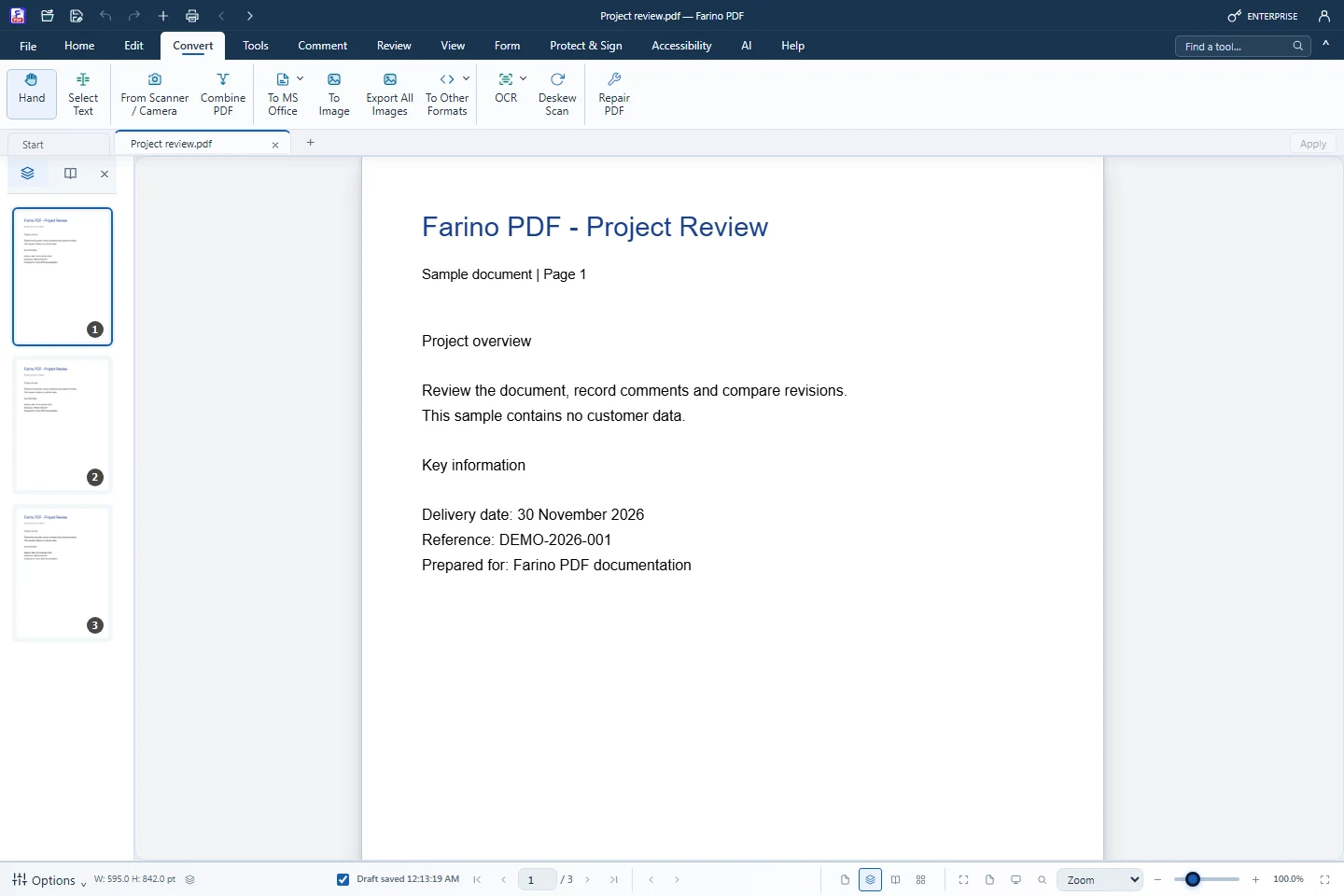
Choose Convert › To MS Office › To PowerPoint
The conversion starts immediately.
Save the .pptx
Choose where to save in the Save As dialog.
Related features
PDF to WordEditable Word documents that keep their layout.PDF to ExcelTurn PDF tables into real spreadsheet cells.PDF to JPG & PNGExport every page as an image, or extract embedded pictures.PDF to Text, HTML & EPUBExport the text layer to TXT, HTML, EPUB or Markdown.PDF to PDF/APDF/A-2b visual archives for long-term storage.
Start with the free edition today.
Upgrade from inside your account when your work needs more.
- Free edition, no account
- Signed installer
- Local support