
Local REST API
Let scripts on your PC send PDFs to Farino PDF.
Enterprise
About this feature
What it does
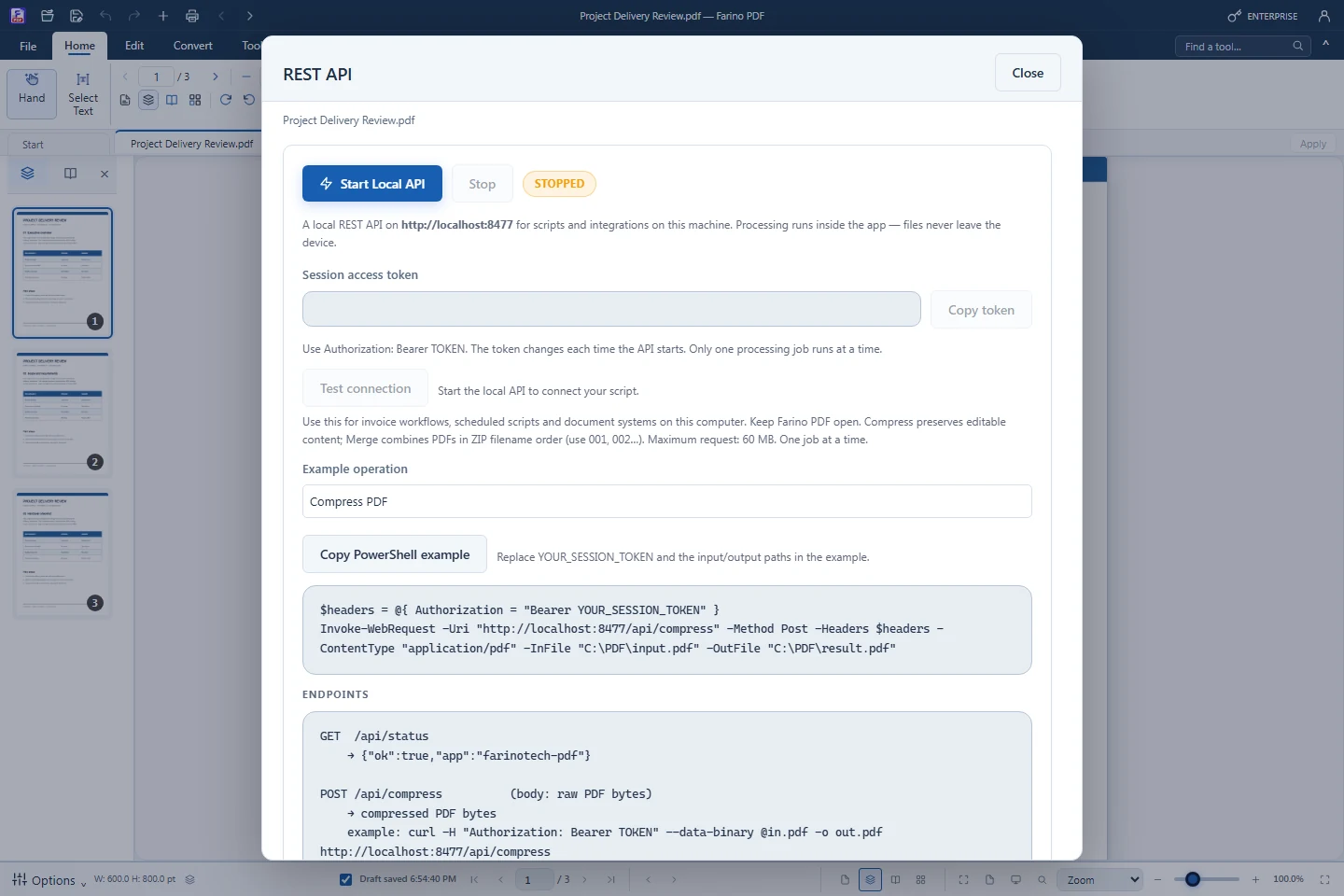
The REST API is off by default. When started, it listens only on http://localhost:8477 and accepts requests from the same computer with a session token that changes each time it starts. Scripts can check the status, compress a PDF or merge a ZIP of PDFs.
- GET /api/status, POST /api/compress, POST /api/merge
- Localhost only, Bearer token per session
- One job at a time, up to 60 MB, 5-minute timeout
- Copy token and Stop buttons in the dialog
- Farino PDF stays open while the API runs
How to use it
Short steps in the Farino PDF app. The full guide is in the documentation.
Read the full guideChoose Accessibility › REST API
Click Start Local API; the status shows RUNNING · :8477.
Copy the token
Send it as Authorization: Bearer TOKEN.
Call the endpoints
Click Stop when you are done.
Start with the free edition today.
Upgrade from inside your account when your work needs more.
- Free edition, no account
- Signed installer
- Local support