
Export Profiles
Save a sequence of steps and run it with one click.
Pro and above
About this feature
What it does
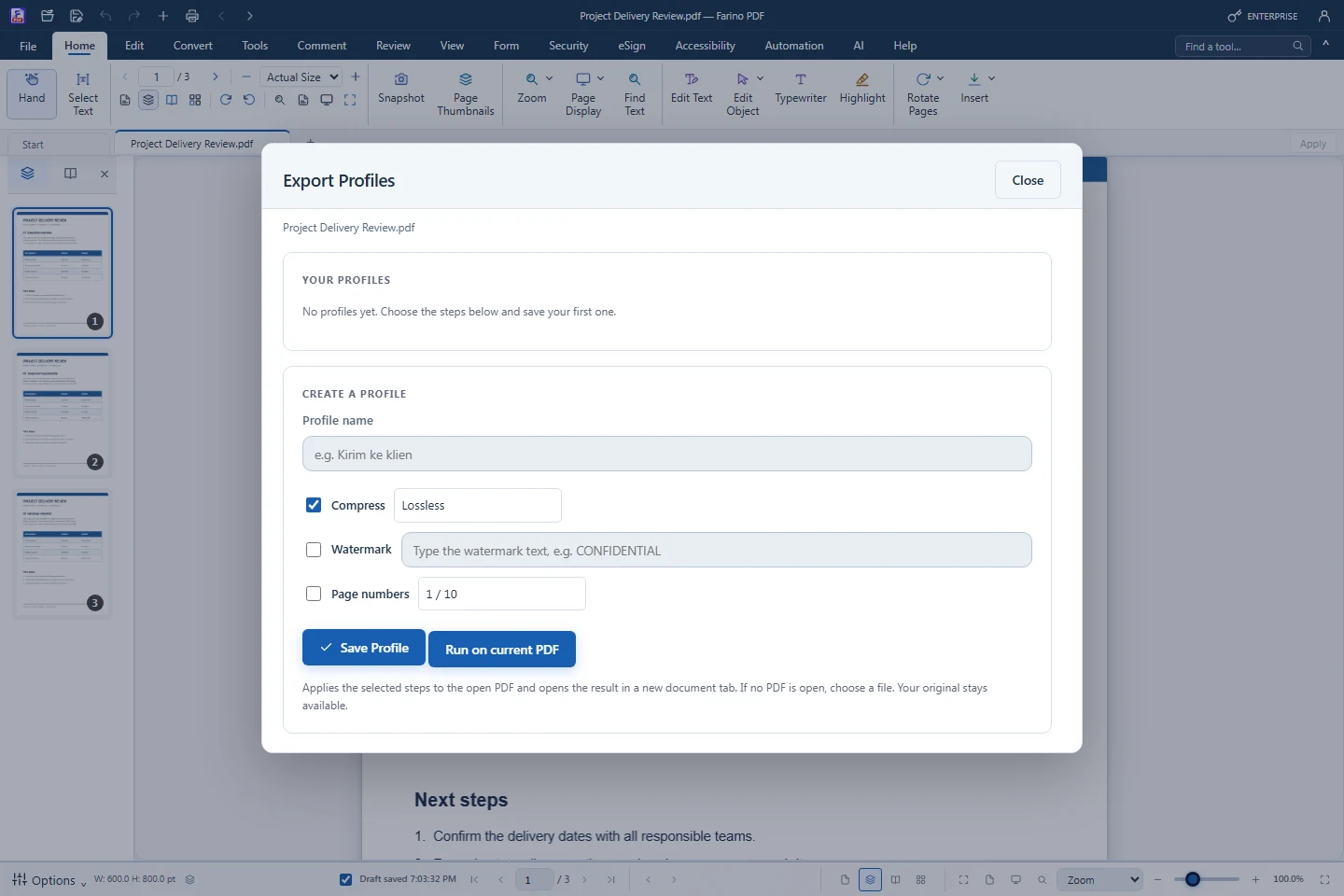
An export profile stores steps such as compress, watermark and page numbers, so the same preparation runs on any PDF with one click. The Activity Log keeps a record of finalized documents and their fingerprints.
- Compress with Lossless or Smart image
- Diagonal watermark text on every page
- Page numbers 1 / 10, 1 or Page 1 of 10
- Run a saved profile on the active PDF
- Activity Log of processed documents
How to use it
Short steps in the Farino PDF app. The full guide is in the documentation.
Read the full guideChoose Accessibility › Export Profiles
Type a profile name.
Select the steps
Compress, watermark and page numbers.
Save Profile and run it
Use it on any PDF later.
Start with the free edition today.
Upgrade from inside your account when your work needs more.
- Free edition, no account
- Signed installer
- Local support