
PDF to Excel
Turn PDF tables into real spreadsheet cells.
Pro and above
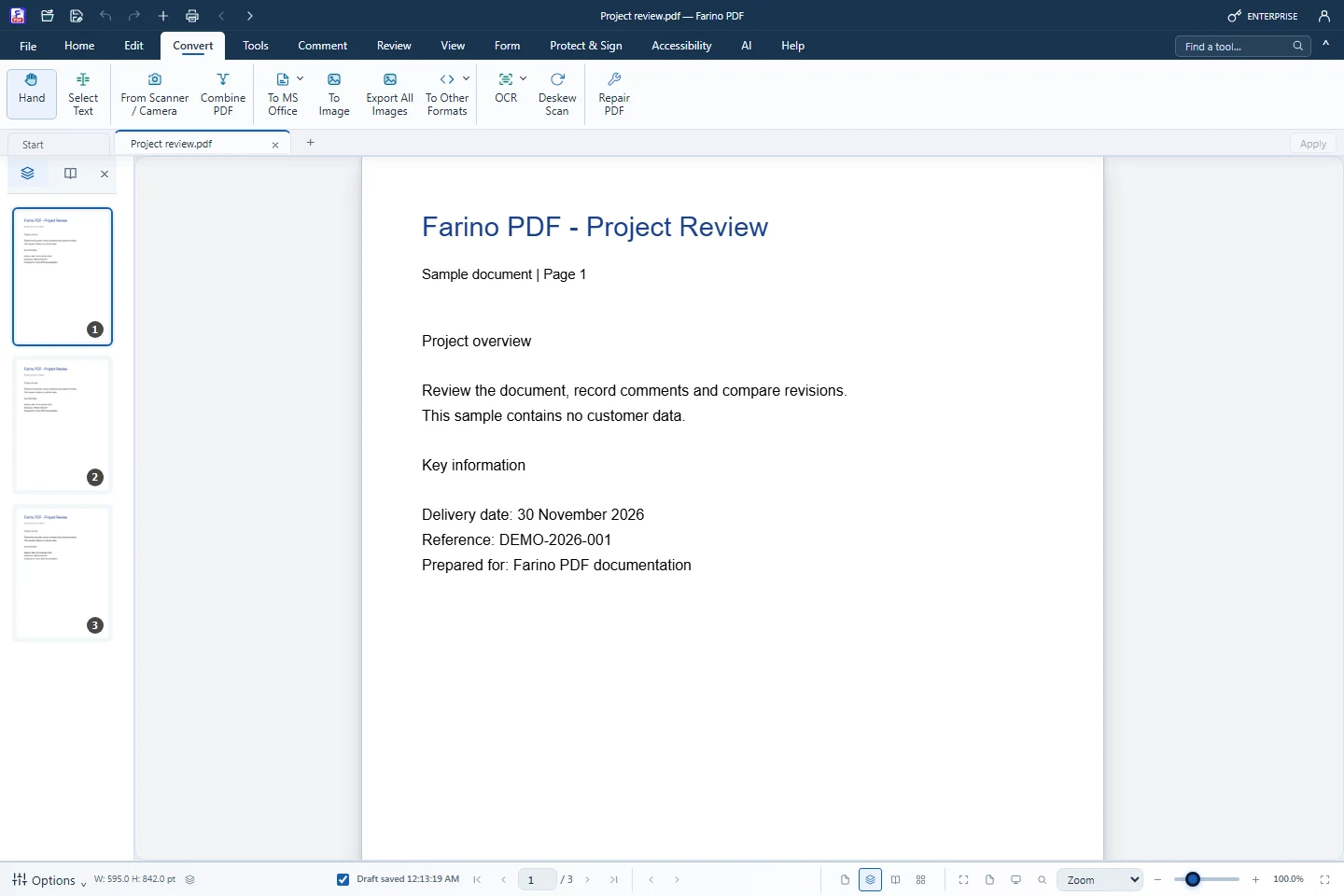
About this feature
What it does
To Excel reads the text lines of each page. Detected tables become real spreadsheet cells and the other lines become rows, so figures can be checked and calculated in Excel. The conversion runs on your PC, without Microsoft Office.
- Detected tables become spreadsheet cells
- Other text lines become rows, page by page
- Runs locally, no Office or internet needed
- Scans need OCR first; OCR can also turn a scanned table into Excel
- Save location chosen in the Windows Save As dialog
How to use it
Short steps in the Farino PDF app. The full guide is in the documentation.
Read the full guideOpen the PDF
Use the active document tab.
Choose Convert › To MS Office › To Excel
The conversion starts immediately.
Save the .xlsx
Pick the folder and file name in the Save As dialog.
Related features
PDF to WordEditable Word documents that keep their layout.PDF to PowerPointOne editable slide per page.PDF to JPG & PNGExport every page as an image, or extract embedded pictures.PDF to Text, HTML & EPUBExport the text layer to TXT, HTML, EPUB or Markdown.PDF to PDF/APDF/A-2b visual archives for long-term storage.
Start with the free edition today.
Upgrade from inside your account when your work needs more.
- Free edition, no account
- Signed installer
- Local support