
Organize Pages
Reorder, rotate, delete and insert pages in a thumbnail grid.
All editions, including Free
About this feature
What it does
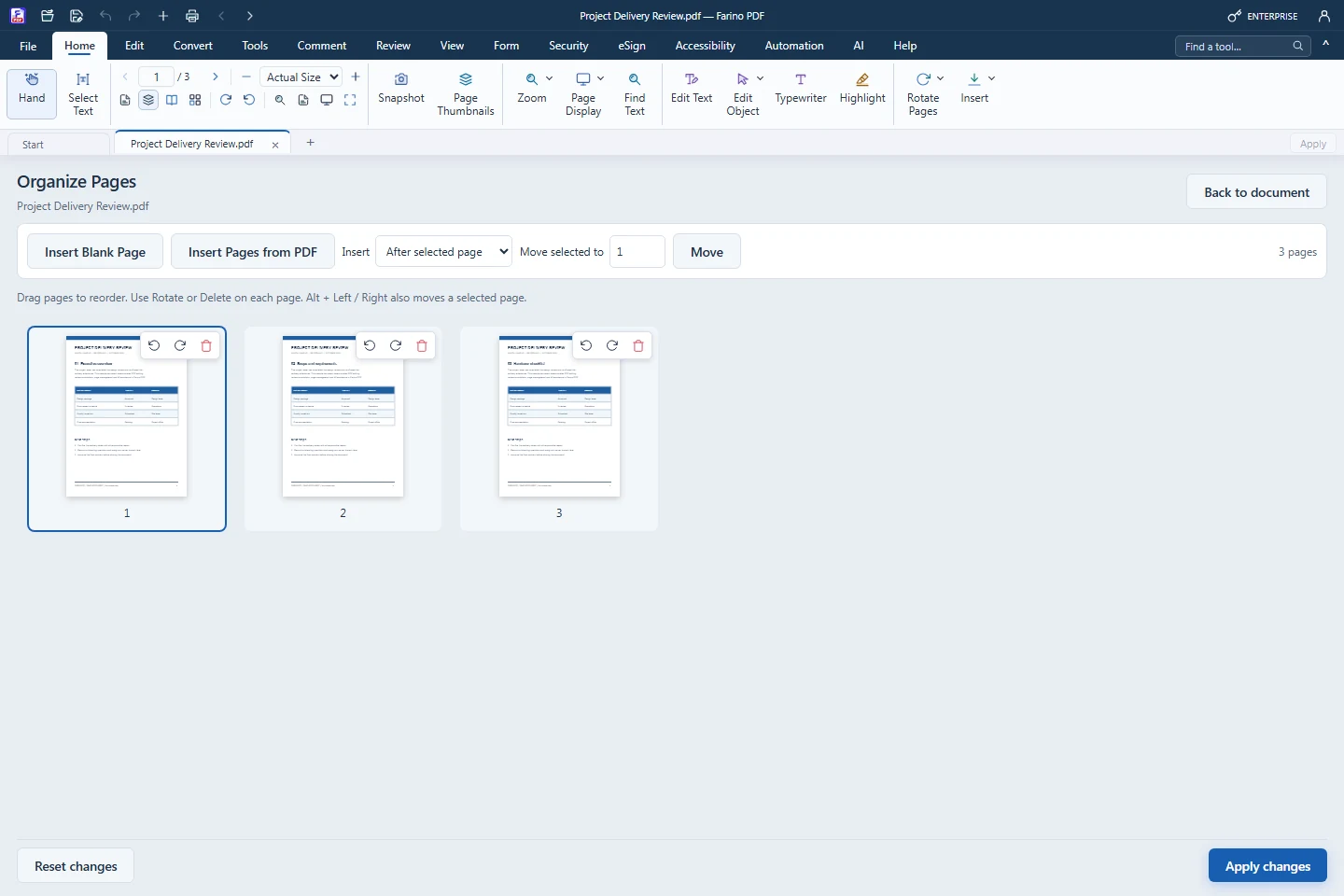
Organize Pages shows every page as a thumbnail in the main work area. Drag pages into a new order, rotate or delete them, insert blank pages or pages from another PDF, then apply the new arrangement in one step.
- Drag thumbnails, or move to a position number
- Rotate left/right and delete from each thumbnail
- Insert blank pages or pages from another PDF
- Single-page commands: duplicate, reverse order, crop
- Apply, reset or go back; Undo after applying
How to use it
Short steps in the Farino PDF app. The full guide is in the documentation.
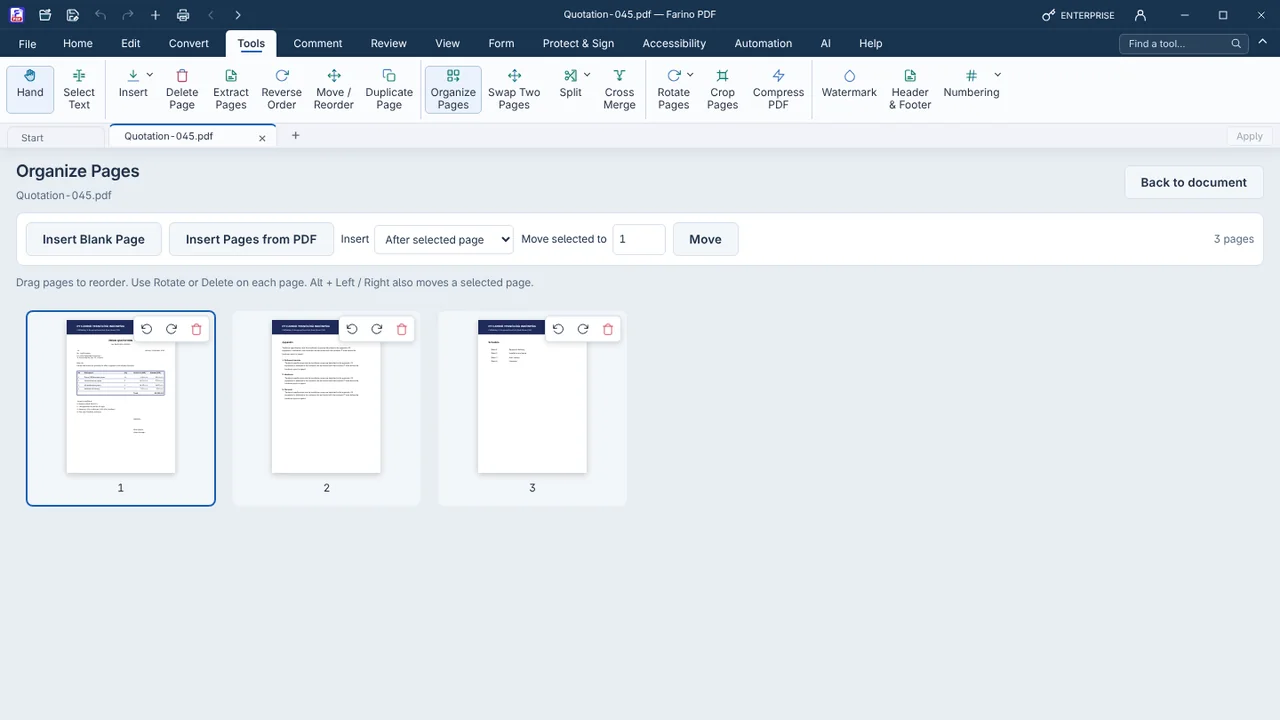
Read the full guideChoose Tools › Organize Pages
All pages appear as a thumbnail grid.
Arrange the pages
Drag, rotate, delete or insert pages.
Apply changes
Save the document with Save or Save As.
Start with the free edition today.
Upgrade from inside your account when your work needs more.
- Free edition, no account
- Signed installer
- Local support