
Number Pages
Page numbers, headers and footers, Bates and document numbers.
Free with Pro extras
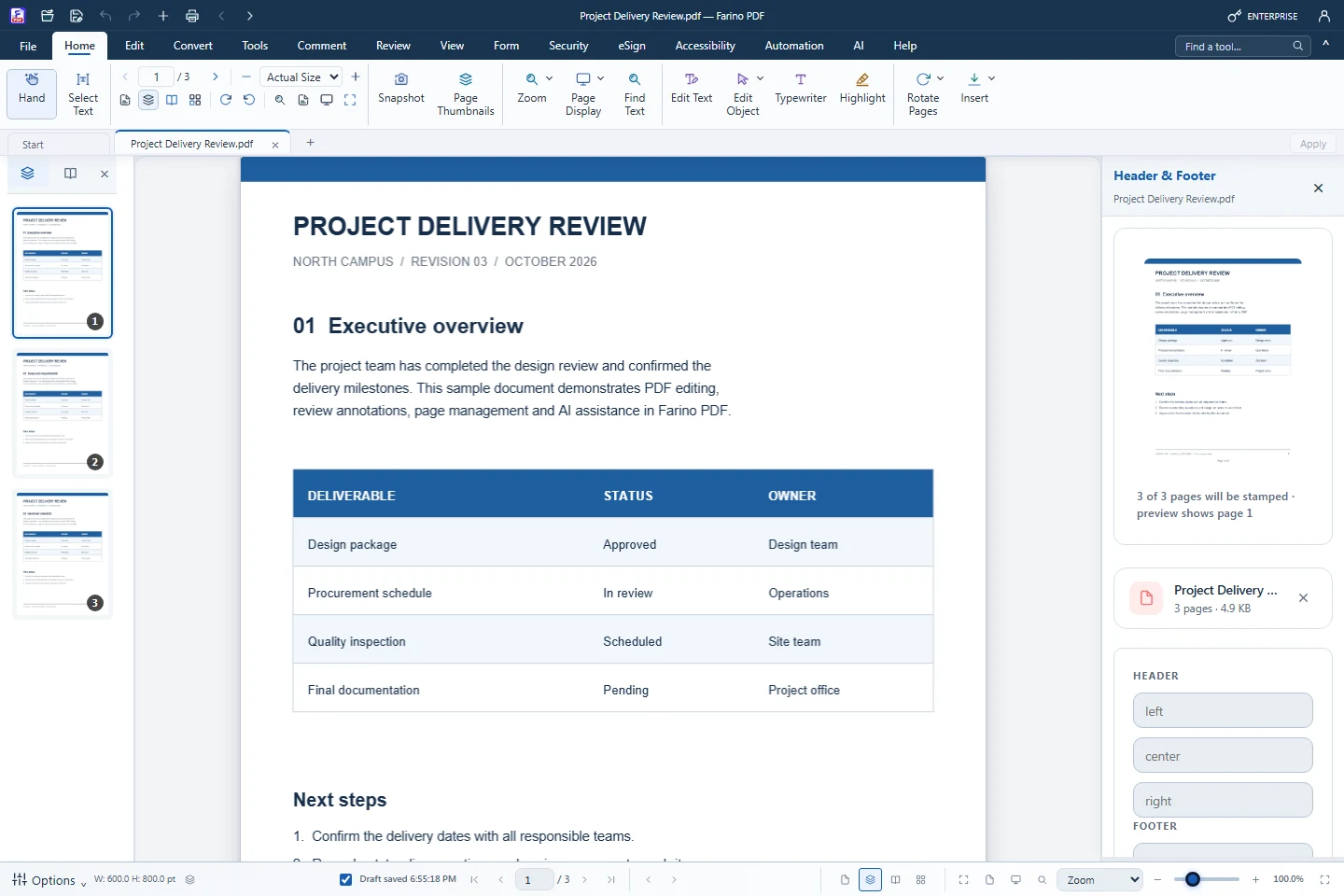
About this feature
What it does
The Numbering menu stamps page numbers, Bates codes such as FT-000001 and page labels in every edition. Pro adds headers and footers with automatic tokens and Document Number, which issues the next number of a series such as 001/SPH/FT/X/2026.
- Page numbers in six positions and three formats, with a start number
- Bates numbering with prefix, suffix and digit count
- Header & Footer with {page}, {pages}, {date}, {time}, {file} and {year} (Pro)
- Document Number with series, department, Roman month and yearly or monthly reset (Pro)
- Skip the cover page and crop page margins
How to use it
Short steps in the Farino PDF app. The full guide is in the documentation.
Read the full guideOpen Tools › Numbering
Choose Page Numbers, Bates Numbering, Page Labels or Document Number.
Set format and position
A preview of the first numbered page appears at the top of the panel.
Apply
The result opens in a new tab. Save it with Save As.
Related features
Edit PDFChange text, images and shapes directly on the page.PDF AnnotatorHighlight, comment, stamp and draw on any PDF.PDF ReaderRead comfortably with thumbnails, zoom, read mode and night mode.Watermark PDFAdd a text or image watermark to every page.Document TemplatesReady-to-fill Indonesian templates and company letterheads.
Start with the free edition today.
Upgrade from inside your account when your work needs more.
- Free edition, no account
- Signed installer
- Local support