
Measure & BOQ
Calibrated takeoffs straight into a bill of quantities.
Business and above
About this feature
What it does
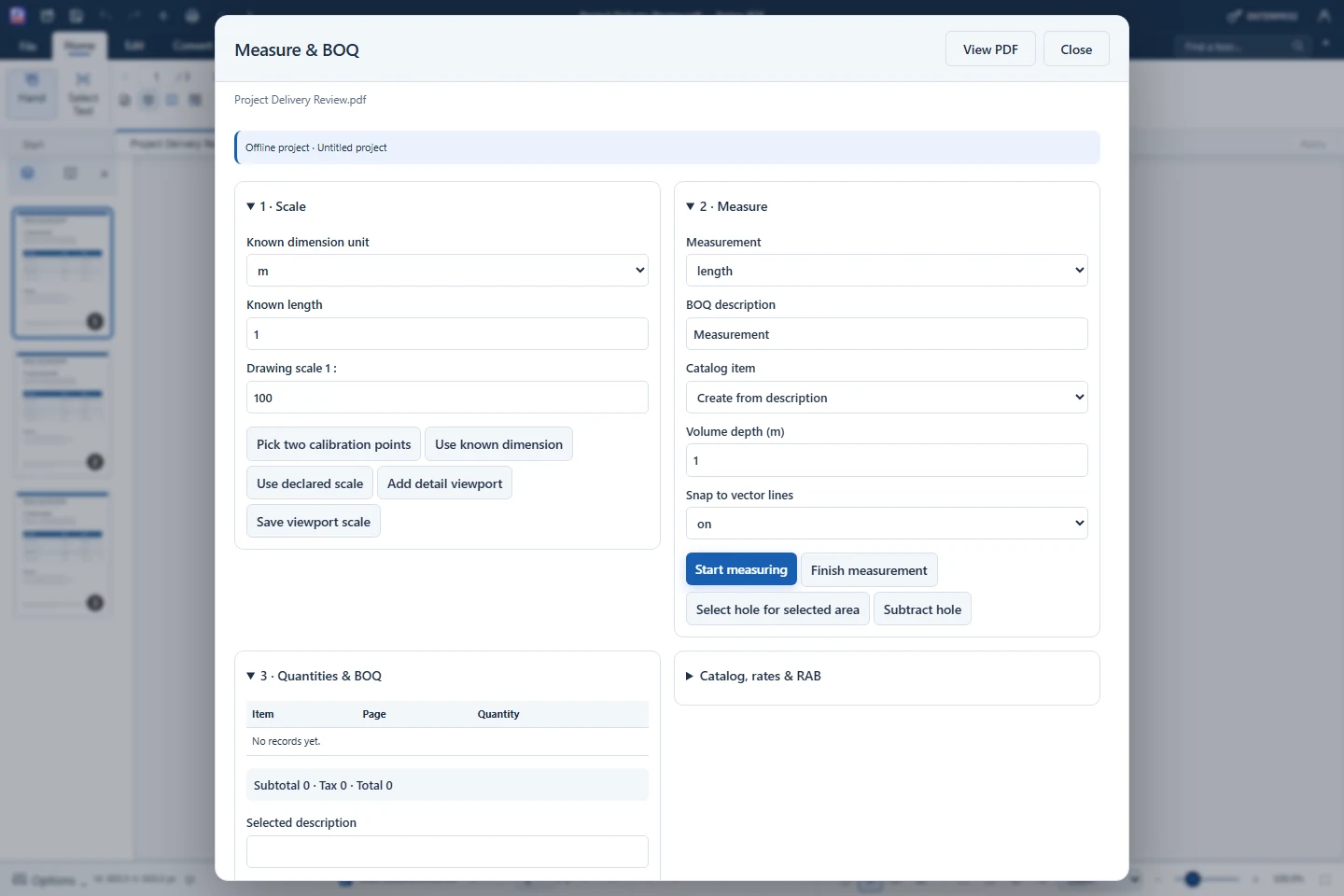
Measure & BOQ calibrates each drawing page from a known dimension or a declared scale, then measures length, polyline, perimeter, area, volume, count and angle. Every measurement lands in a quantities table that exports to Excel, CSV or a PDF report.
- Calibrate with two points or a declared 1 : scale
- Length, polyline, perimeter, area, volume, count and angle
- Snap to vector line endpoints, midpoints and intersections
- Catalog, unit rates, waste factor, PPN and rounding (RAB)
- Export BOQ.xlsx, CSV or a PDF report
How to use it
Short steps in the Farino PDF app. The full guide is in the documentation.
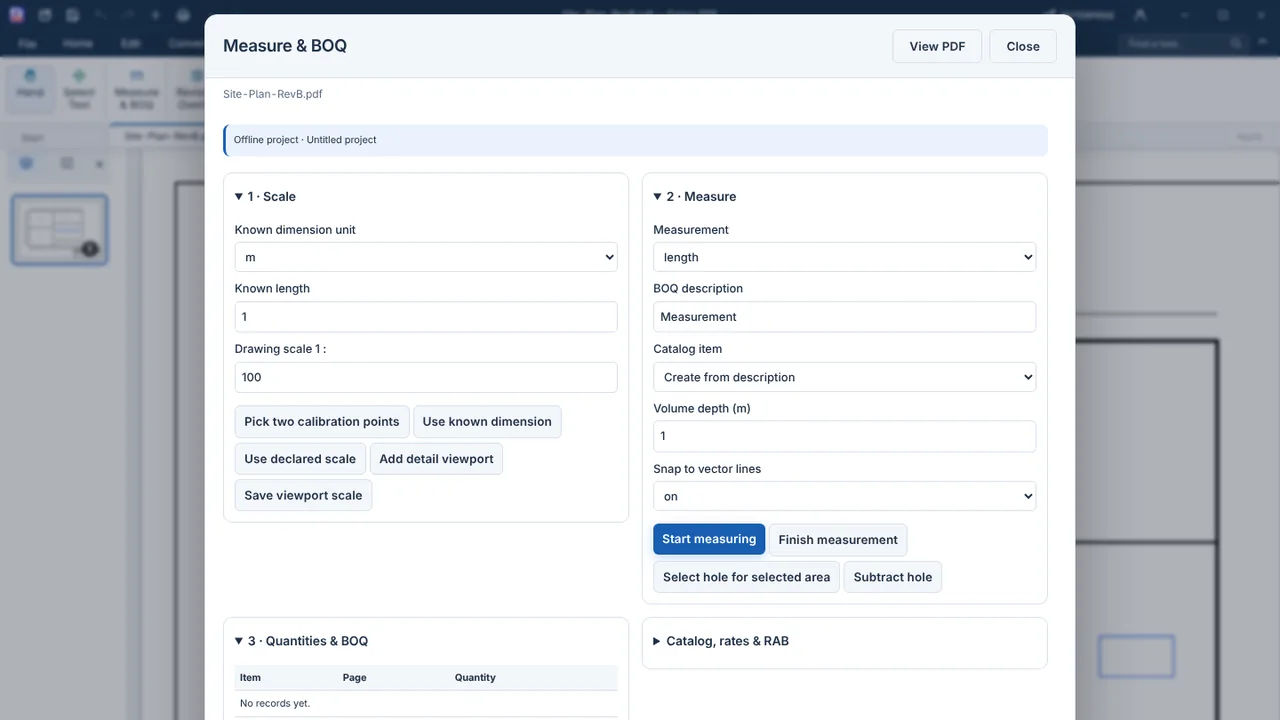
Read the full guideChoose Review › Measure & BOQ
Set the known dimension or drawing scale.
Measure
Pick the type, a BOQ description, then click the points.
Export
Create BOQ.xlsx, CSV or a PDF report.
Start with the free edition today.
Upgrade from inside your account when your work needs more.
- Free edition, no account
- Signed installer
- Local support