
PDF to PDF/A
PDF/A-2b visual archives for long-term storage.
See the edition table on Pricing
About this feature
What it does
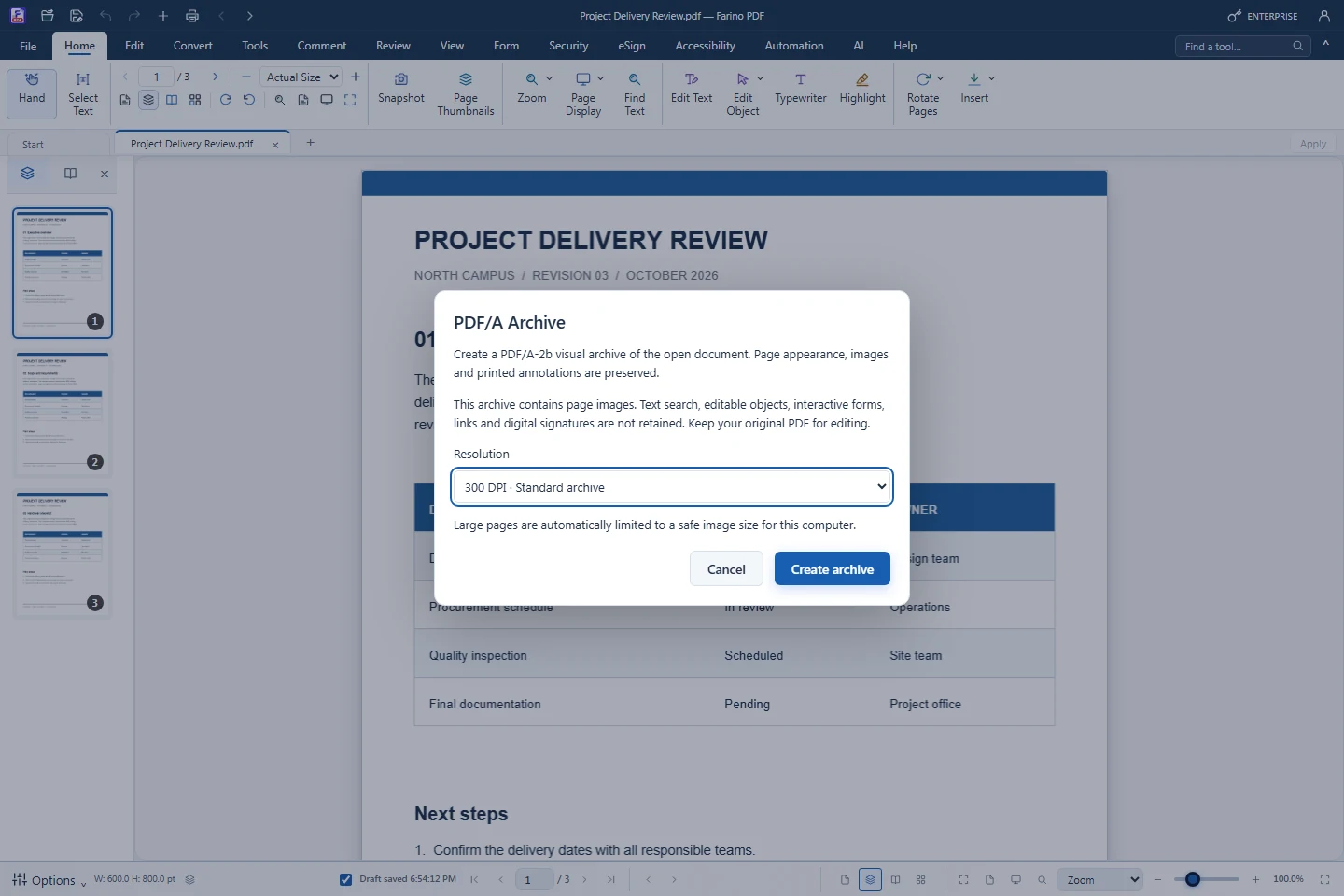
PDF/A Archive creates a PDF/A-2b visual archive of the open document. Page appearance, images and printed annotations are preserved as page images with an sRGB profile and PDF/A metadata; text search, forms, links and digital signatures are not retained, so keep the original for editing.
- PDF/A-2b visual archive of the active PDF
- 150 DPI (smaller), 300 DPI (standard) or 600 DPI (fine detail)
- Progress shows the page and effective DPI; Cancel saves nothing partial
- Large pages are capped to a safe image size
- Release samples pass veraPDF; validate your own files for compliance
How to use it
Short steps in the Farino PDF app. The full guide is in the documentation.
Read the full guideChoose Convert › To Other Formats › PDF/A Archive
Or File › Save As › PDF/A-2b visual archive.
Pick the resolution
Read the format notice, then choose Create archive.
Save the archive
Keep the original PDF separately for editing.
Related features
PDF to WordEditable Word documents that keep their layout.PDF to ExcelTurn PDF tables into real spreadsheet cells.PDF to PowerPointOne editable slide per page.PDF to JPG & PNGExport every page as an image, or extract embedded pictures.PDF to Text, HTML & EPUBExport the text layer to TXT, HTML, EPUB or Markdown.
Start with the free edition today.
Upgrade from inside your account when your work needs more.
- Free edition, no account
- Signed installer
- Local support